How to Scale Google Ads for Higher ROI Results
Posted on
Marketing
Posted at

Scaling Google Ads campaigns feels overwhelming when results stall, and budgets tighten. For many American e-commerce brands, understanding which metrics truly drive conversions is often the missing link between wasted spending and higher ROI. A strategic audit of campaign performance helps marketing managers pinpoint what works, reveal hidden gaps, and set the foundation for growth. Discover practical steps to track results, expand your audience, and optimize creative and budgets for stronger returns.
Table of Contents
Quick Summary
Key Insight | Explanation |
|---|---|
Audit Campaign Performance Regularly | Conduct systematic audits of Google Ads to identify and optimize key performance indicators for improvement. |
Set Up Accurate Conversion Tracking | Implement precise conversion tracking to measure user actions effectively and align with business goals. |
Expand Audience Targeting Thoughtfully | Analyze customer behavior and utilize insights to strategically broaden your Google Ads audience targeting. |
Optimize Ad Creative Through Testing | Use A/B testing for ad creatives to find the most effective versions and allocate budgets dynamically for better return. |
Utilize Reporting for Continuous Improvement | Create custom dashboards and analyze data to transform metrics into actionable insights for future campaigns. |
Audit Current Campaign Performance
Performance auditing is your strategic roadmap for understanding exactly how your Google Ads campaigns are performing and identifying opportunities for optimization. Measuring campaign effectiveness requires a systematic approach that goes beyond surface-level metrics.
To conduct a comprehensive Google Ads campaign audit, focus on these key performance indicators:
Conversion Rate: Assess how many clicks transform into actual customer actions
Click-Through Rate (CTR): Evaluate the percentage of people clicking your ads
Cost Per Acquisition (CPA): Calculate the total cost required to acquire a single customer
Quality Score: Review Google’s rating of your ad relevance and landing page experience
A strategic audit reveals not just what happened, but why it happened and how to improve future performance.
Start by downloading a detailed performance report directly from your Google Ads dashboard. Analyze each campaign separately, breaking down metrics by targeting, ad groups, and individual ads. Look for patterns such as underperforming keywords, low-engagement ad copy, or targeting segments with minimal return.
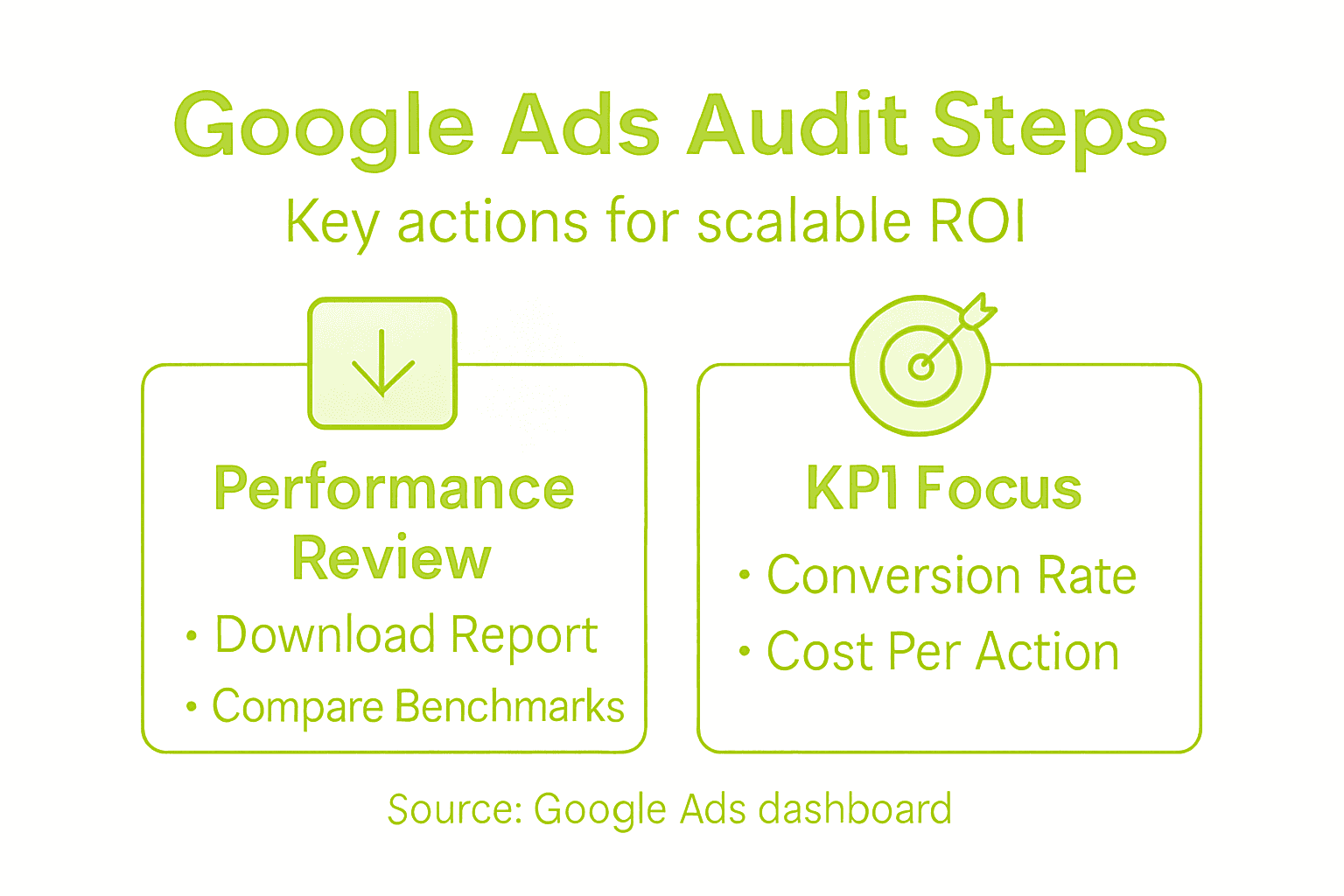
Compare your current performance against historical benchmarks and industry standards. Campaign monitoring techniques help distinguish between tactical adjustments and strategic overhauls.
Here’s a quick comparison of key performance indicators and how each supports effective Google Ads campaign audits:
KPI | What It Measures | Business Impact |
|---|---|---|
Conversion Rate | Rate of clicks becoming actions | Reveals ad effectiveness and ROI |
Click-Through Rate (CTR) | Proportion clicking on ads | Indicates ad appeal and targeting success |
Cost Per Acquisition (CPA) | Cost for each customer acquired | Guides to budget allocation for profitable growth |
Quality Score | Ad relevance and landing page experience | Influences ad rank and costs |
Pro Tip: Set up custom dashboards in Google Ads that automatically highlight key performance anomalies, saving you hours of manual analysis time.
Set Up Tracking and Conversion Goals
Conversion tracking transforms your Google Ads campaigns from guesswork to precision by systematically measuring user actions that drive business growth. Conversion tracking strategies enable you to understand exactly how your ads translate into tangible results.
To set up effective conversion tracking, follow these critical steps:
Install Google Tag Manager: Create a central hub for tracking all conversion events
Define Specific Conversion Actions: Identify key user interactions like purchases, sign-ups, or form submissions
Configure Conversion Values: Assign monetary values to different conversion types
Set Up Event Tracking: Create tags for specific user interactions beyond standard page views
Conversion tracking is not just about counting actions but also about understanding the strategic value of each user interaction.
Start by navigating to the Conversions section in your Google Ads account. Choose the most relevant conversion types for your business, such as website purchases, phone call leads, or app installations. Each conversion action requires a unique tracking tag that you’ll install on specific pages or trigger points in your website or app.
Conversion rate optimization helps you refine your tracking strategy by revealing precise insights into user behavior. Configure your conversion goals to align closely with your core business objectives, ensuring each tracked action provides meaningful performance data.
Pro Tip: Test your conversion tracking setup by creating a test conversion and confirming it registers correctly in your Google Ads dashboard before launching full campaigns.
Expand Audience Targeting Strategically
Expanding your Google Ads audience targeting requires a nuanced approach that goes beyond basic demographic segmentation. Target audience strategies demand profound insights into customer behaviors, motivations, and potential growth segments.
To strategically expand your audience targeting, consider these critical approaches:
Analyze Existing Customer Data: Examine current customer characteristics and purchasing patterns
Create Detailed Audience Personas: Build comprehensive profiles representing potential new market segments
Utilize Lookalike Audiences: Leverage platform algorithms to find similar high-potential customer groups
Experiment with Broader Targeting: Gradually test wider audience parameters while monitoring performance
Strategic audience expansion transforms broad targeting into precise, high-converting customer connections.
Begin by segmenting your current customer base using advanced filtering in Google Ads. Look for subtle commonalities beyond basic demographics - consider factors like purchasing behavior, online engagement patterns, and cross-platform interactions. Digital audience growth depends on understanding these nuanced connections between different customer groups.
Implement a systematic testing approach where you incrementally expand audience targeting. Start with audiences that share 60-80% similarity with your core customer base, then progressively broaden your reach while maintaining strict performance monitoring.
The following table summarizes advanced Google Ads audience targeting tactics and their strategic advantages:
Approach | Strategic Benefit | Example Insight |
|---|---|---|
Data Analysis | Identifies top-performing demographics | Find customers with repeat purchase patterns |
Audience Personas | Enables tailored messaging | Adapt copy for different buyer types |
Lookalike Audiences | Expands reach to similar prospects | Target visitors similar to loyal customers |
Broader Targeting | Tests new segments for growth | Analyze results from wider demographic pools |
Pro Tip: Use Google Ads audience insights to uncover hidden demographic and interest-based connections that can unlock unexplored market potential.
Optimize Ad Creative and Budgets
Scaling Google Ads requires a strategic approach to creative development and budget allocation that maximizes every marketing dollar. Marketing budget optimization demands precision, flexibility, and continuous performance analysis.
To effectively optimize your ad creative and budgets, implement these critical strategies:
A/B Test Multiple Creative Variations: Create different ad versions to identify top-performing designs
Allocate Budgets Dynamically: Shift spending toward high-converting campaigns
Monitor Performance Metrics: Track conversion rates, click-through rates, and cost per acquisition
Implement Smart Bidding Strategies: Use automated bidding to maximize return on ad spend
Successful ad optimization balances creative excellence with data-driven budget management.
Begin by applying the ADPLAN framework to your ad creative. This approach ensures your advertisements capture attention, differentiate from competitors, and communicate clear value. Ad creative strategies require a nuanced understanding of how visual and textual elements work together to drive audience engagement.

Develop a flexible budget allocation model that allows rapid reallocation of resources. Start with a conservative budget distribution, then progressively invest more in campaigns demonstrating consistent performance. Regularly review your spending against key performance indicators to ensure continuous optimization.
Pro Tip: Dedicate 10-15% of your total ad budget to experimental campaigns that test innovative creative approaches and audience targeting.
Test and Verify Results with Reporting
Conducting a comprehensive performance analysis is the final critical step in scaling your Google Ads strategy. Marketing performance measurement transforms raw data into actionable insights that drive continuous improvement.
Implement a systematic reporting approach using these essential techniques:
Configure Custom Dashboards: Create visual representations of key performance metrics
Analyze Conversion Tracking: Evaluate how different campaigns generate valuable user actions
Compare Performance Segments: Identify high-performing and underperforming audience groups
Utilize Google Ads Performance Planner: Forecast potential campaign outcomes and optimize strategies
Effective reporting turns data points into strategic marketing intelligence.
Search advertising reporting requires a disciplined approach to interpreting complex metrics. Focus on understanding the relationships between different performance indicators, such as how changes in ad creative correlate with conversion rates and overall campaign effectiveness.
Develop a routine for regular performance reviews. Schedule weekly and monthly deep-dive analyzes that go beyond surface-level metrics, examining the nuanced interactions between audience targeting, ad creative, and budget allocation. This iterative process ensures your Google Ads strategy remains adaptive and responsive to changing market dynamics.
Pro Tip: Create automated reporting templates that highlight anomalies and performance shifts, saving time and enabling faster strategic decision-making.
Unlock Higher ROI with Expert Google Ads Scaling Solutions
Scaling your Google Ads campaigns effectively requires more than just increased budgets. The real challenge centers on mastering strategic campaign audits, precise conversion tracking, smart audience expansion, and creative budget optimization to drive measurable revenue growth. If you are struggling with understanding key performance indicators like CPA or Quality Score or need to translate clicks into valuable conversions, you are not alone.
A&T Digital Agency specializes in solving these exact pain points by delivering tailored paid advertising systems that accelerate your business growth. Our boutique team combines deep strategic insight with creative execution to help you implement powerful conversion tracking strategies and expand your audience reach thoughtfully. We emphasize data-driven campaign optimization so you can confidently allocate your budget for maximum impact without wasted spend.
Ready to turn Google Ads complexity into clear growth opportunities? Visit A&T Digital Agency to discover how our focused expertise can enhance your campaign audits and reporting processes. Take action now to start scaling your ads with smarter strategy and proven results that boost your ROI.
Frequently Asked Questions
How can I audit my current Google Ads campaign performance?
Conduct an audit by measuring key performance indicators such as Conversion Rate, Click-Through Rate (CTR), Cost Per Acquisition (CPA), and Quality Score. Start by downloading a performance report from your Google Ads dashboard and analyze metrics by campaign, ad groups, and keywords to identify areas for improvement.
What steps should I take to set up effective conversion tracking in Google Ads?
To set up conversion tracking, install Google Tag Manager and define specific conversion actions that reflect key user interactions on your website. Make sure to assign conversion values accurately and verify that tracking is functioning properly by testing conversions before launching full campaigns.
How can I expand my audience targeting in Google Ads?
Expand your audience targeting by analyzing your existing customer data to identify potential growth segments. Create detailed audience personas, utilize lookalike audiences to find new customers, and experiment with broader targeting parameters while closely monitoring performance.
What are the best practices for optimizing ad creatives and budgets in Google Ads?
Implement A/B testing for multiple ad variations to identify the most effective designs and allocate your budget dynamically based on campaign performance. Regularly track and analyze performance metrics to ensure you are maximizing return on ad spend and adjust your strategy as necessary.
How do I ensure effective reporting for my Google Ads campaigns?
To ensure effective reporting, configure custom dashboards that visualize key performance metrics clearly. Regularly analyze conversion tracking data and conduct performance comparisons across segments to identify high-performing campaigns and necessary adjustments for underperforming ones.


