How to analyze campaign data for better ROI
Posted on
Marketing
Posted at

Accurate campaign analysis requires proper tracking setup and clear goal definition.
Focus on core metrics like ROAS, CPA, CTR, and compare them to industry benchmarks weekly.
Consistent testing, simple workflow, and weekly reviews drive ongoing ad performance improvements.
You're spending real money on Google Ads and Meta campaigns, but at the end of the month, you're not sure if it's actually working. Sound familiar? This is one of the most common frustrations we hear from small and medium-sized business owners. The good news: your data already holds the answers. You just need to know where to look, what questions to ask, and how to act on what you find. This guide walks you through every step, from setting up proper tracking to running structured tests that compound your results over time.
Table of Contents
Diagnosing strengths, weaknesses, and optimization opportunities
Why most SMBs struggle—and what really moves the needle in campaign analysis
Key Takeaways
Point | Details |
|---|---|
Track the right metrics | Focus on ROAS, CTR, CPA, and CPM to understand both efficiency and results. |
Benchmark your campaigns | Compare your numbers to industry standards to spot opportunity and risk. |
Diagnose and segment | Break down your results by demographics, placements, and ad creatives to find strengths or problems. |
Iterate systematically | Use structured tests and weekly reviews to drive ongoing improvements—not just one-off changes. |
Get help when needed | Leverage expert analysis when your own changes plateau or you want to accelerate progress. |
What you need before you analyze campaign data
Accurate analysis starts with accurate data. Before you pull a single report, you need to make sure your tracking is set up correctly and your goals are clearly defined. Skipping this step is like trying to navigate with a broken compass. You'll move fast but in the wrong direction.
Here's what you need in place before touching any campaign numbers:
Required tools and setup:
Google Analytics 4 (GA4): Tracks user behavior on your website and ties it back to your ad traffic. Without it, you can't attribute revenue or leads to specific campaigns.
Meta Pixel (or Meta Conversions API): Installed on your website to track what happens after someone clicks your Meta ad. The server-side Conversions API is now preferred for accuracy, especially with browser privacy restrictions.
Google Ads conversion tracking: Set up directly in your Google Ads account, ideally importing goals from GA4 so everything stays consistent.
Meta Ads Manager: Your central hub for Meta campaign data, including breakdowns by placement, audience, and creative.
CRM integration (if applicable): For service-based businesses tracking leads, connecting your CRM lets you measure offline conversions, not just form fills.
For service-based SMBs especially, conversion tracking must include both online and offline touchpoints. A lead form submission is not a sale. Tracking only to the form and ignoring what happens in your sales pipeline means you may be optimizing toward the wrong thing entirely.
Pro Tip: If you run a service-based business, set up a custom conversion event for "qualified lead" or "booked appointment" rather than just "form submitted." This teaches your ad platforms to find people more likely to convert into actual clients, not just browsers filling out forms.
Once your tools are running, define your primary goal. Is it leads? E-commerce sales? Brand awareness for a product launch? Your goal determines which metrics matter most. Everything flows from this definition.
Here's a quick comparison of what each platform needs for solid data tracking:
Requirement | Google Ads | Meta Ads |
|---|---|---|
Tracking tag | Google tag / GA4 | Meta Pixel or Conversions API |
Conversion setup | Google Ads conversion actions | Meta Events Manager |
Audience data | Google audience segments | Meta Custom Audiences |
Attribution window | 30-day default (adjustable) | 7-day click, 1-day view |
Offline conversion support | Offline conversion import | CRM integration via API |
You can also explore more detail on campaign performance analytics to understand how these tools connect into a full reporting framework.
Step–by–step: How to analyze campaign performance metrics
With your tracking and goals in place, it's time to dig into the numbers themselves. The mistake most business owners make here is looking at too many metrics at once. You end up overwhelmed and confused about what to do next. Start focused.
The core metrics that drive ROI decisions:
CTR (click-through rate): Measures how compelling your ad is. A low CTR usually signals weak creative or misaligned targeting.
CPC (cost per click): What you're paying every time someone clicks. High CPC with low conversion = a budget drain.
CPA (cost per acquisition): The total cost to acquire one lead or sale. This is your efficiency metric.
ROAS (return on ad spend): Revenue generated per dollar spent. The clearest financial measure of campaign health.
CPM (cost per thousand impressions): Measures how expensive it is to reach your audience. Useful for diagnosing competitive pressure.
Here's how to pull your data and start comparing:
Open Google Ads and navigate to the Campaigns tab. Select a date range of at least 30 days for statistically meaningful data. Add columns for CPA, ROAS, CTR, and CPC.
Open Meta Ads Manager and do the same. Use the "Performance and Clicks" column preset as a starting point, then customize to include ROAS and cost per result.
Compare your numbers to industry benchmarks. Context is everything. A 1.5% CTR on Google Search might be fine for a niche B2B service but weak for a high-intent retail keyword.
Flag outliers. Any campaign with CPA more than 2x your target or ROAS below 2x is a red flag requiring deeper investigation.
Segment by device, location, and time of day. This often reveals quick wins, like pausing ads on mobile if your site doesn't convert mobile visitors well.
Understanding where you stand relative to industry norms matters. Facebook Ads benchmarks for 2025 show that across e-commerce, Meta Ads average a CPM of $14 to $17, a CPC of $0.87, a CTR of 1.9%, and a ROAS of 3.4x. Top 10% performers hit 7.1x ROAS. For Google Ads, a healthy CTR sits around 2% on average, with SMB ROAS targets typically between 3x and 5x depending on the vertical. Supplement brands, for example, often aim for a 4.5x ROAS as a benchmark.
These numbers give you a reference point, not a ceiling. But if you're sitting at a 1.2x ROAS on Meta, you know you have a serious problem worth addressing immediately.
Common SMB measurement mistakes to avoid:
Looking only at platform-reported ROAS without cross-referencing GA4 data
Optimizing for clicks instead of conversions
Not accounting for the attribution window when comparing across platforms
Drawing conclusions from less than 30 days of data on new campaigns
Ignoring CPM increases, which often signal audience fatigue before CTR drops
Pairing these metrics with context is how you move from raw numbers to real insight. For a deeper look at applying this to both platforms together, the guide on Google and Meta ROI metrics breaks down how the two ecosystems interact.
Diagnosing strengths, weaknesses, and optimization opportunities
Now that you can read campaign metrics, the next step is diagnosing what's working and what's holding you back. Aggregate numbers only tell part of the story. The real intelligence lives inside your breakdowns.

Segmenting your data by demographics, placements, and ad creative reveals patterns you simply cannot see at the campaign level. For example, your campaign might show an average CPA of $45. Acceptable, right? But when you break it down by age group, you might find that 25 to 34-year-olds convert at $22 CPA while 55 to 64-year-olds cost you $90 per conversion. That one insight could reshape your entire targeting strategy.
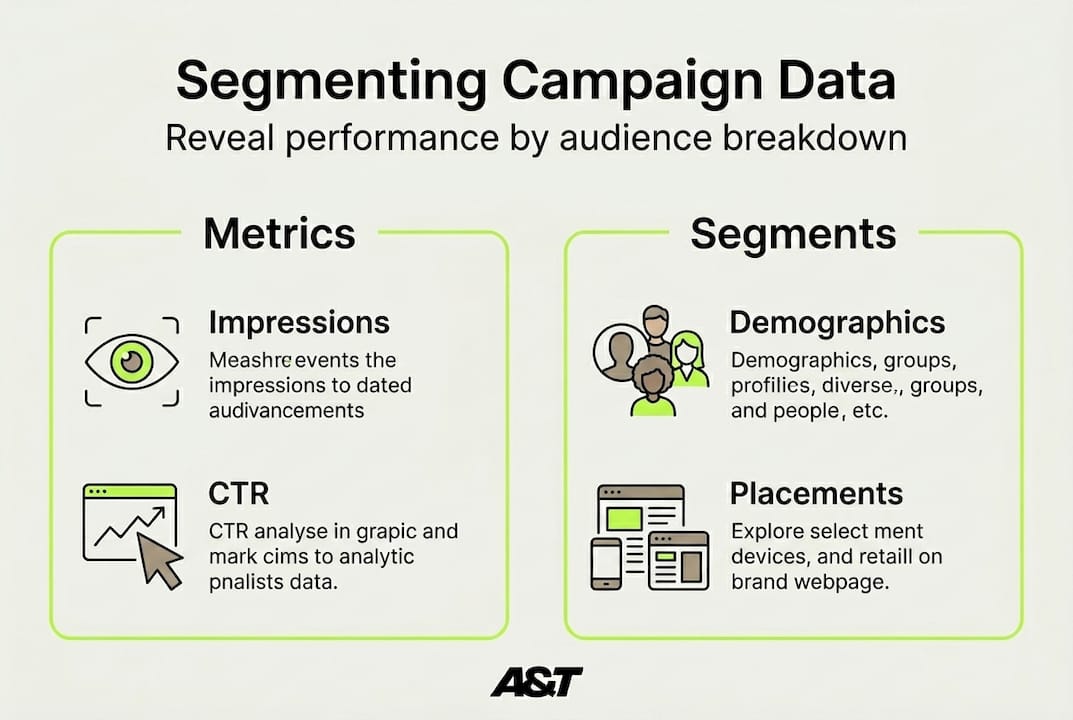
Here's a sample breakdown showing what this kind of segmentation looks like in practice:
Audience segment | Impressions | CTR | CPC | CPA | ROAS |
|---|---|---|---|---|---|
Women, 25-34 | 48,200 | 2.8% | $0.72 | $21 | 5.8x |
Men, 25-34 | 31,400 | 1.9% | $0.91 | $38 | 3.1x |
Women, 45-54 | 22,600 | 1.4% | $1.10 | $61 | 1.9x |
Men, 45-54 | 18,900 | 1.1% | $1.28 | $74 | 1.4x |
This kind of table immediately shows where your money is working hardest. In this example, the obvious move is to allocate more budget toward women aged 25 to 34 and reduce spend on the 45 to 54 demographic, or test different creative tailored specifically to that older group before cutting them entirely.
Pro Tip: In Meta Ads Manager, use the "Breakdown" dropdown to split your results by placement, age, gender, and region in one view. In Google Ads, use the "Demographics" and "Locations" tabs under each campaign. Both platforms make this data easy to access but most advertisers never check it.
Beyond demographics, check your placement data. On Meta, Stories, Reels, and Feed often perform very differently. On Google, Search, Display, and YouTube have completely different cost and conversion dynamics. Letting an algorithm spread your budget across all placements without reviewing performance by placement is one of the fastest ways to bleed budget.
Weekly review beats monthly analysis for SMBs. By the time a monthly report lands, you've already wasted three weeks of ad spend on something that could have been fixed in day five.
This insight from our own experience with SMB campaigns reinforces the value of Meta Ads ROI insights and consistent weekly check-ins. If you want a clear framework for making those check-ins count, the resource on campaign ROI improvement walks through what to prioritize.
Testing and iterating: Turning analysis into better results
Analyzing data is only useful when it leads to smarter action. Here's how to close the loop.
Data without action is just a report. The businesses that compound their ad performance over time are the ones that treat analysis as the input and testing as the output. Every insight you surface in your data should lead to a specific test.
Steps for running structured A/B tests on your campaigns:
Identify one variable to test. This could be ad copy, headline, creative format, audience segment, or call to action. One variable at a time. Change two things at once and you won't know what drove the difference.
Set a clear hypothesis. "We believe that leading with a price anchor in the headline will lower CPA by 15% for our 25 to 34 female segment." Specific, measurable, time-bound.
Allocate budget evenly. Split traffic 50/50 between your control and test variant. Both need enough impressions to generate statistically meaningful results, typically at least 1,000 impressions and 50+ clicks per variant.
Run the test for at least 14 days. Ending tests early based on early results is one of the most common and costly errors. Give it time.
Record your results formally. Use a simple spreadsheet with hypothesis, result, winner, and next action. This becomes your campaign learning library.
What to keep consistent during each test:
Landing page (unless you're specifically testing landing pages)
Budget level between variants
Audience targeting (unless testing audience segments)
Campaign objective and bid strategy
Scheduling and geographic targeting
What to rotate and test over time:
Ad creative format (image vs. video vs. carousel)
Headline angle (benefit-led vs. curiosity vs. urgency)
Primary text length (short and punchy vs. longer and detailed)
Call to action button text
Audience segment (interest-based vs. lookalike vs. retargeting)
The discipline of testing ad creatives systematically, rather than making gut-driven changes, is what separates businesses that improve each month from those that spin their wheels. Weekly pulse checks on ROAS and CPA trends keep you honest about whether your tests are moving the needle.
The cycle looks like this: analyze, identify an opportunity, form a hypothesis, test it, document the result, and feed the learning back into your next round of analysis. Repeat this every week and your campaigns get measurably better over time. Ignore it and you're flying blind.
Why most SMBs struggle—and what really moves the needle in campaign analysis
Here's an uncomfortable truth: most SMBs are not struggling because they lack data. They're struggling because they have too much data and not enough of a decision-making framework to act on it.
We see this constantly. Business owners spend hours inside Ads Manager, staring at dashboards, downloading reports, and still walk away unsure what to do next. The problem is not the metrics. The problem is the workflow.
The businesses that consistently improve their ad ROI are not necessarily the ones with the most sophisticated tracking setups. They're the ones who show up every week, review three to five core metrics, flag what's off-target, make one specific change, and document the outcome. That's it. Simple, consistent, and incredibly effective.
The conventional advice is to master every metric and build elaborate dashboards. We'd push back on that. For most SMBs, a tight focus on ROAS, CPA, and CTR, reviewed weekly with a clear action tied to each observation, will outperform the business drowning in a 20-metric dashboard with no clear decision protocol.
Another thing we've learned working with businesses across telehealth, retail, health and wellness, and entertainment: analysis paralysis is real and expensive. Every week you spend analyzing without acting is a week your competitors are testing and learning. The goal is not perfect information. The goal is faster iteration.
The resource on cutting waste and boosting ROI gets into the specifics of where budget actually leaks, and a lot of it comes down to delayed decision-making rather than wrong targeting. Act on your data weekly. Keep your tests simple. Document everything. That workflow is worth more than any single metric.
Professional help to maximize your ROI
Ready to take your campaign data analysis and your bottom line to the next level? If you've worked through this guide and still find yourself uncertain about what your data is telling you, or if you simply want expert eyes on your campaigns to accelerate results, that's exactly what we do at A&T Digital Agency.
Our team specializes in running data-driven Google Ads Management and Meta Ads Management campaigns for SMBs in competitive verticals. We handle the analysis, the testing, and the weekly optimization so you can focus on running your business. No unnecessary meetings. No guesswork. Just purposeful ad spend backed by real performance data and a team that genuinely cares about your results.
Frequently asked questions
How often should I review my campaign data?
For most SMBs, reviewing key performance metrics at least once a week enables faster improvements and prevents wasted spend. Weekly pulse checks on ROAS and CPA trends give you enough time to act before problems compound.
What is a good ROAS for Google or Meta ads?
Typical ROAS targets for SMBs are 3 to 5x for Google Ads and around 3.4x for Meta across e-commerce, but top 10% of performers reach 7.1x or higher depending on the industry and product margin.
What is the most important metric to track?
ROAS gives you the clearest picture of financial return, but pairing it with CPA, CTR, and CPM helps you pinpoint exactly which part of your funnel needs attention at any given time.
How can I improve ROAS with limited ad spend?
Focus your budget on the highest-performing audience segments identified through demographic and placement breakdowns, and test one creative variable at a time to find what resonates most efficiently.
Do I need professional help to analyze campaign data?
If your campaigns are not improving after repeated optimizations or your data is consistently confusing, bringing in an expert can save you significant time and money by giving you a clear, experienced perspective on what to fix first.


