Step–by–step Facebook campaign guide for max ROI
Posted on
Marketing
Posted at

Successful Facebook ads require clear objectives, proper tracking, and strategic setup.
Use conversion-focused objectives, automatic placements, and verified pixels to optimize ROI.
Consistent measurement, small adjustments, and disciplined management boost campaign performance.
Most small business owners running Facebook ads share the same frustration: money leaves the account, clicks trickle in, and sales stay flat. The setup looks right on the surface, but something is broken underneath. Usually, it comes down to the wrong objective, missing tracking, or no real strategy guiding the spend. Facebook advertising works. But it requires intentional decisions at every stage, from account setup to measurement. This guide walks you through exactly how to build a Facebook campaign that is structured for conversions, not just clicks. Follow these steps, avoid the traps, and your next campaign will have a real shot at delivering the ROI your business needs.
Table of Contents
Key Takeaways
Point | Details |
|---|---|
Start with clear goals | Define your objective and prepare all assets before launching to avoid wasted spend. |
Use Sales or Conversions | These objectives deliver more buyers and better short-term ROI for SMBs. |
Let Facebook learn | Automatic placements and dynamic budgeting help campaigns optimize quickly and efficiently. |
Measure and adapt | Track key metrics and improve performance step by step rather than making large changes all at once. |
What you need to launch a successful Facebook campaign
Before you touch Facebook Ads Manager, you need the right foundation in place. Skipping preparation is where most SMBs lose money before a single ad even runs. Think of it like building a house: the structure is only as strong as what sits beneath it.
Here is a quick-glance checklist to confirm you are ready:
Asset | Status needed | Why it matters |
|---|---|---|
Facebook Business Manager | Active and verified | Controls all ad accounts and assets |
Meta Pixel installed | Verified and firing | Tracks conversions and feeds the algorithm |
Payment method | Added and approved | Prevents campaign interruptions |
Ad creative assets | Ready (images/video/copy) | Delays here stall launches |
Landing page or product page | Live and optimized | Poor pages kill conversion rates |
Campaign goal defined | Clear before setup | Drives every downstream decision |
Before setting up your campaign, confirm you have:
A Facebook Business Manager account with admin access
A verified payment method attached to your ad account
Creative assets ready, including images, video, and copy
A live, optimized landing page or product page
Meta Pixel installed and verified through Events Manager
A clear campaign objective tied to a business outcome
Pro Tip: Have your pixel installed and verified before you spend a single dollar. Without it, Facebook cannot optimize for the right people, and you are essentially flying blind.
Choosing the right campaign objectiveis one of the most consequential decisions in your setup. For SMBs focused on generating sales or leads, theSales or Conversions objectiveconsistently outperforms Traffic or Awareness. The reason is straightforward:
because the algorithm optimizes for whoever it thinks will complete the action you select. Choose Traffic, and Facebook finds clickers. Choose Conversions, and it finds buyers.
Awareness campaigns have their place for large brands with big budgets and long sales cycles. For most SMBs, they burn through budget without enough measurable return in the short term. Stick with Conversions unless you have a specific reason not to.
For audience selection and placements, keep it simple early on. Use broad targeting or interest-based audiences rather than heavy segmentation. And use automatic placements during the learning phase. Facebook needs data to optimize, and restricting placements too early limits that process.

Step–by–step Facebook campaign setup process
With your prep work finished, follow these precise steps to turn your plan into a functioning campaign.
Go to Facebook Ads Manager and click "Create" to start a new campaign.
Select your campaign objective. For most SMBs selling products or services, choose Sales or Conversions. This tells the algorithm to find people likely to take action.
Set your campaign budget. Use Campaign Budget Optimization (CBO), which distributes budget dynamically across ad sets for better efficiency. A static ad set budget often wastes spend on underperforming segments.
Define your audience at the ad set level. Start broad or use one to two interest categories. Avoid stacking too many narrow filters early on.
Choose placements. Select Advantage+ placements (formerly automatic placements). Automatic placements lead to more efficient learning for most SMBs because Facebook can shift budget to wherever your ad performs best across Feed, Stories, Reels, and more.
Set your optimization event. Choose Purchase, Lead, or whichever conversion event matches your goal. This must be verified in your pixel setup.
Build your ad creative. Upload your image or video, write your primary text, headline, and description, and add your destination URL. Check ad creative tips to make your visuals and copy work harder.
Review and publish. Double-check every setting before hitting Publish. Review objective, budget, audience, placements, tracking event, and creative.
Skipping conversion tracking does not just hurt your data. It hands Facebook a blindfold. Without pixel events firing correctly, the algorithm cannot learn who converts, and your cost per result climbs fast while results stay low.
Pro Tip: Start with automatic placements unless you have solid historical data proving a specific placement outperforms others. Let Facebook learn first, then optimize later.
Setup stage | Recommended choice | Why |
|---|---|---|
Objective | Sales / Conversions | Optimizes for buyers, not browsers |
Budget type | CBO (Campaign Budget Optimization) | Dynamic allocation improves efficiency |
Placements | Advantage+ (Automatic) | Broader reach during learning phase |
Audience | Broad or 1-2 interests | Avoids over-segmentation |
Creative | Single image or short video | Clear, direct message performs best |
For a more detailed walkthrough, the detailed Facebook ad setup guide covers advanced configurations for campaigns at scale.
Troubleshooting and common pitfalls for Facebook campaigns
Even with a solid setup, SMBs often stumble into these avoidable traps. Knowing them ahead of time is half the battle.
The most common mistakes we see:
Wrong objective selected. Running a Traffic campaign when you want purchases. Facebook will deliver traffic. It just will not be buyers.
No conversion tracking installed. Launching without a verified pixel means the algorithm has nothing to learn from. Your cost per result stays high indefinitely.
Over-segmenting the audience. Layering too many interest filters and exclusions shrinks your audience and restricts learning. Bigger audiences, especially early on, give the algorithm room to work.
Ignoring ad fatigue. Running the same creative for weeks without refreshing it causes frequency to spike and performance to drop. Watch your frequency metric.
Mismanaging budget during the learning phase. Making big changes to budget or audience too early resets the learning phase and wastes data.
Choosing the wrong objective or manually restricting placements are two of the fastest ways to limit short-term ROI for SMBs. Both decisions cut off the algorithm before it can find your best customers.
For each mistake, the fix is usually simpler than expected. Switch to the Conversions objective. Install and verify your pixel before launch. Widen your audience. Rotate creative every two to three weeks. And avoid making multiple changes at once during the learning phase.
Reviewing Facebook ads best practices before launch can catch most of these issues early. If your campaign is already live and struggling, check your objective first, then your tracking, then your audience size. That sequence will surface the problem in most cases.
If you want to improve your ROI without rebuilding from scratch, start by auditing those three elements before touching anything else.
Measuring results and improving Facebook campaign ROI
Once your campaign is live, it is time to ensure all your work actually pays off. Measurement is not optional. It is the difference between campaigns that improve and campaigns that drain budget.
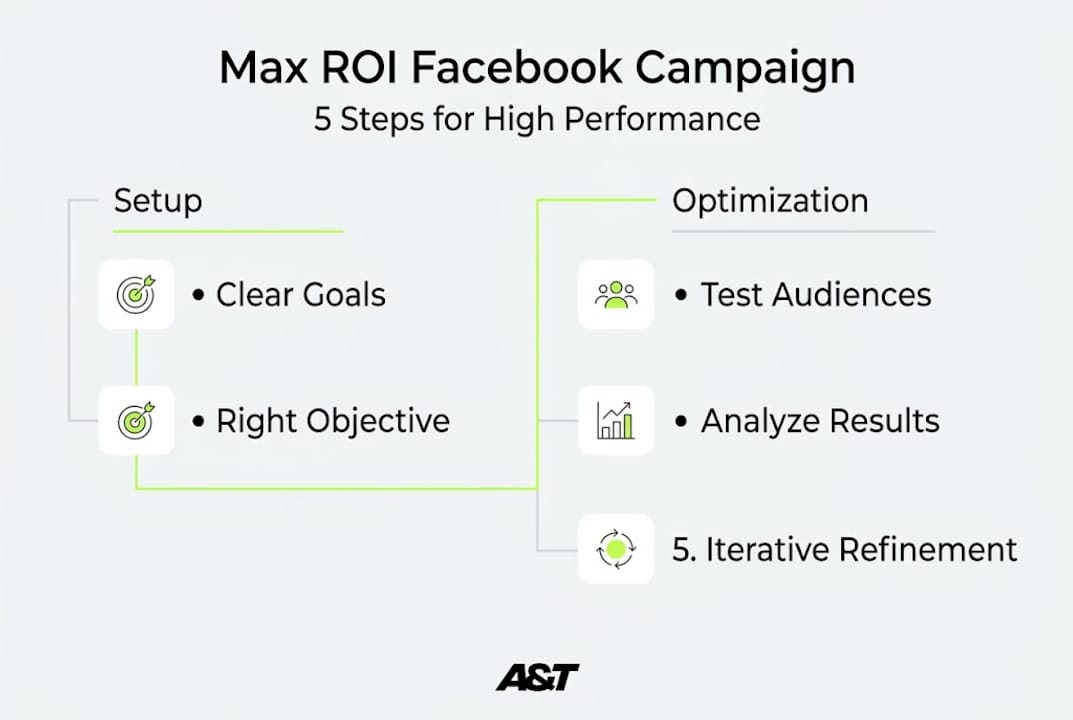
Check your key performance indicators (KPIs) daily for the first week. Focus on cost per result (CPA), return on ad spend (ROAS), cost per click (CPC), and conversion rate.
Evaluate the learning phase. Facebook's algorithm needs roughly 50 conversion events per ad set per week to exit the learning phase. If you are not hitting that, consider consolidating ad sets or increasing budget slightly.
Analyze pixel and conversion data. Go to Events Manager and confirm your pixel is firing on the right pages. Reviewing pixel and conversion data is one of the most direct paths to improving your results because it reveals where the funnel is breaking.
Compare creative performance. Look at which ad variants get the lowest CPA and highest ROAS. Pause underperformers and test new variations of what is working.
Scale what works, cut what does not. Increase budget on winning ad sets gradually, no more than 20% at a time, to avoid resetting the learning phase.
Stat callout: SMBs that align their objective with the right conversion event and use automatic placements consistently see lower CPAs compared to those running Traffic or Awareness campaigns with manual controls.
Pro Tip: Make one change at a time and wait at least three to five days before judging the impact. Changing audience, budget, and creative simultaneously makes it impossible to know what actually moved the needle.
For a structured approach, how to measure Facebook ad results walks through the full analytics process. And if you want to go deeper on specific metrics, tracking ad performance covers the exact data points that matter most for SMB campaigns.
Why most SMB Facebook campaigns underperform(and the fix that works)
We have seen it play out the same way dozens of times. A business owner launches a campaign, picks the Awareness or Traffic objective because it feels safe, watches impressions climb, and wonders why sales do not follow. The numbers look active. The results are not there.
Clicks are not buyers. That is the core problem. When you tell Facebook to find clickers, it does exactly that. The paid advertising strategy guide makes this point clearly: optimization matters because the algorithm is far more powerful than most people realize, but only when you give it the right goal.
The real breakthrough we see with clients is not a creative insight or a clever audience hack. It is discipline. Clear conversion objective. Automatic placements. Dynamic budget allocation. Verified pixel. And then patience while the learning phase runs, followed by small, data-backed adjustments.
Big swings rarely win in paid advertising. Consistent, iterative improvements do. The SMBs who see lasting ROI are not the ones chasing trends. They are the ones who set up the system correctly, measure everything, and make deliberate changes based on what the data actually says.
Accelerate your results with expert Meta ads management
If you want to see results faster or scale with confidence, teaming up with experts can change the game. At A&T Digital Agency, we build and manage expert Meta ads management systems designed specifically for SMBs ready to grow. No guesswork. No wasted budget on the wrong objectives. Just purposeful, data-driven campaigns built to convert.
We also offer multi-channel paid ads across Google Ads for businesses that want to scale beyond Meta. Whether you are starting your first campaign or optimizing an existing one, we handle the strategy, creative, and execution so you can focus on running your business.
Frequently asked questions
What campaign objective should a small business choose for Facebook ads?
Sales or conversions are usually the best choice for purchases because Facebook optimizes for buyers, not just clickers. Traffic and Awareness objectives rarely deliver strong short-term ROI for SMBs.
Should I use automatic or manual placements for my campaign?
Automatic placements are recommended for most SMBs because they give Facebook room to find your best-performing ad positions across all surfaces. Restrict placements only when you have solid historical data supporting that decision.
How can I measure the success of my Facebook ad campaign?
Focus on CPA, ROAS, and conversion rate as your primary metrics. Adjusting campaigns based on data consistently drives better results than making changes based on impressions or click volume alone.
What is the biggest mistake SMBs make in Facebook advertising?
Choosing the wrong campaign objective or launching without proper conversion tracking are the most common errors. Awareness and traffic objectives rarely produce the short-term ROI that SMBs need, and missing pixel data prevents the algorithm from optimizing effectively.